
As an OS/2 user, I have to think about USB thumb drives. The OS/2 USB mass storage driver does not support USB drives as they come from the store. Until this is fixed, which may be never, an alternate procedure is needed.
Here is a hint about the USB thumb drives. I seem to have worse luck than most people. A USB stick from the store never works, and the partition table is reported to be "corrupt." I cannot fix the stick with either IBM LVM, nor with Maintenance and Installation Volume Manager.
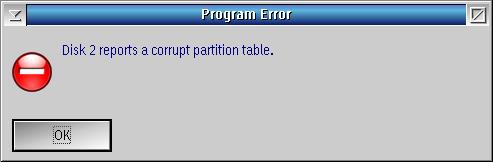
I expect to format the USB thumb drive when I get it. I open the package and insert the drive. I start Maintenance and Installation Volume Manager just to make check if the drive is corrupt.
Then I start DFSee. I navigate to the Scripts->Make FAT32 Data (USB) disk. After that, I just follow the on-screen instructions. My resulting USB thumb drives are usable in ArcaOS, eCS, Mac OS X, Windows and Linux.
The script is new. What follows below is the old page with the step by step procedure that the script is automating.
Q: What are the steps to access a 128GB flash memory drive? The drive is formatted as a largc floppy according to DFSEE. Is there a set of instructions online?
A: At that size if has to be FAT32, and if it is indeed a "large floppy" format (no MBR with a partition table) then it is a no-go for eCS.
For it to work with eCS you must have a PARTITION, format that FAT32, and make sure to ADD LVM information with a name and driveletter. Without that it will not work.
If partitioning and formatting are an option, the steps using just DFSee would be:
	Mode=FDISK ->
	   MBR or EBR area operations ->
	      Wipe start of disk to ZERO ->
	         ... select the correct disk here ...
	Mode=FDISK ->
	   MBR or EBR area operations ->
	      New MBR code, ERASE tables ->
	         ... select the correct disk here ...
	Mode=FDISK ->
	   Create new partition ->
	      ... select the disks freespace area ...
FAT, 32-bit type 0C: > Cyl 1023and to create LVM info for it too:
[?] Include LVM information
	Actions ->
	   Format with FAT filesystem ->
	      A Partition to be selected ->
	         ... select the newly created partition ...
Volumes created this way should be accessible from Windows and the MAC as well as eCS. I have done it several times on external USB disks and memory-sticks.
Note however that SOME external USB disks simply do not work well with the USB stack in eCS, so there is no guarantee.
Originally posted by Jan van Wijk, author of DFSee; http://www.dfsee.com